





Updated July 7, 2026. This is an alpha feature, so expect the specifics to shift as it rolls out wider.
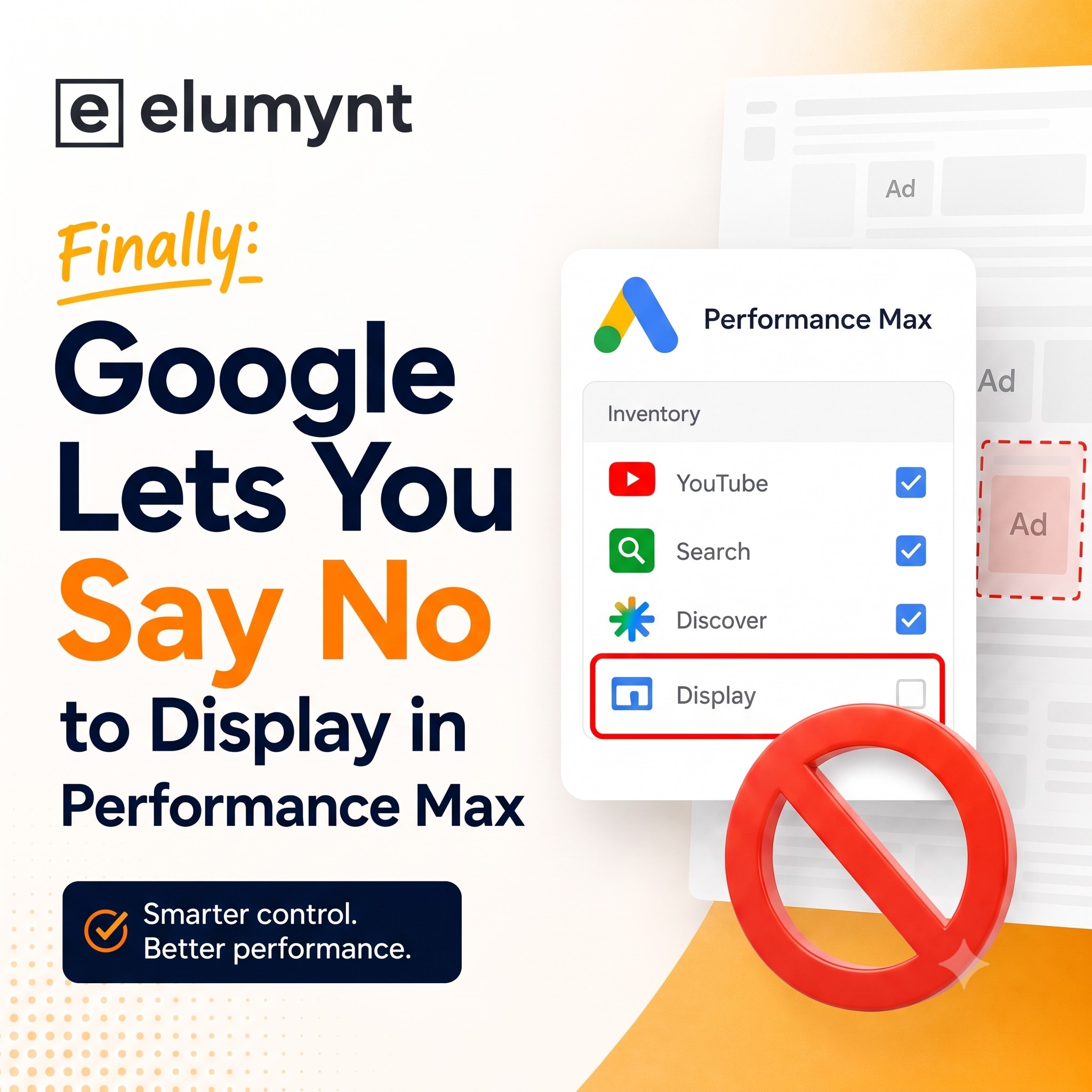
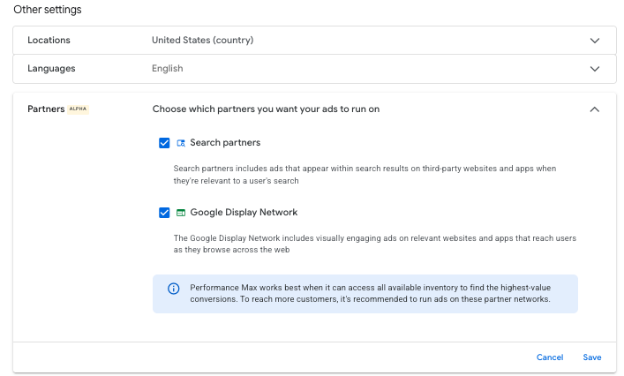
For years, PMax handed you the Display Network whether you wanted it or not. There was no toggle, no opt-out, nothing. That's finally starting to change. Google is quietly testing a new “Partners” setting inside Performance Max that lets you pick which networks your ads are allowed to run on. Hard to say what tipped them over the edge. Maybe enough advertisers complained loudly enough. Either way, it's the kind of control people have been asking for since the campaign type launched.
Here's what it looks like inside the account:
Why it matters
Demand Gen already has a display toggle, so the obvious question was whether PMax would get the same treatment. Until now the answer was no. If you wanted to keep Display spend in check, your only real lever was excluding placements at the account level, and anyone who's tried that knows how it goes. You block one junk site and three more turn up the next week. It never really ends.
A campaign-level switch changes the math. Rather than cleaning up bad placements after they've already eaten into budget, you just don't opt into the network to begin with.
Why this matters more when you're scaling
There's a second reason to care about this, and it shows up the minute you try to grow a campaign.
PMax doesn't really think in channels. It's chasing the next conversion it can predict, wherever that happens to live. Usually that's Shopping or Search, because that's where the buying intent sits. Trouble is, there's only so much of that inventory to buy on any given day.
So picture what happens when you scale. You raise the budget, ease off the ROAS target, and basically tell the campaign to go find more volume. Once it's picked the high-intent inventory clean, that extra money doesn't just sit idle. It slides over into Display, YouTube, and Gmail, because those are cheap and there's always some low-quality conversion to go grab. Plenty of advertisers have watched this happen in real time: bump the budget, drop the target, and instead of more Shopping you end up with more Display, a softer ROAS, and a campaign that somehow got narrower on the channels you actually wanted. Push past six figures a month and it gets louder still, with budget drifting toward remarketing and away from non-brand shopping and search.
Here's the part worth sitting with. When Display spend suddenly spikes, Display didn't get good overnight. Your Shopping and Search demand hit a ceiling, and the algorithm spent whatever was left on the cheapest conversion it could find. That's the exact leak this Partners setting lets you close off at the campaign level, instead of mopping it up after the fact.
One caveat before you go switching networks off across the account. A network isn't automatically the villain. Weak Display numbers can just as easily point to weak creative, a clumsy landing page, or a goal aimed at the wrong outcome. And if your high-intent inventory genuinely is tapped out, killing partners won't magically redirect that money into Shopping. The campaign might simply spend less. Open the channel performance report, confirm the leak is a real leak, then make the call.
How to check if you have it
It's a narrow rollout right now, so you may or may not see it. Quick way to find out:
- Open the settings for one of your Performance Max campaigns
- Scroll down to Other Settings
- Look right under the Language setting
- If you've got it, you'll see “Partners” with an alpha tag next to it

Don't see it? You're in good company. This is still a limited test.
What's still missing
Keep your expectations grounded. For the moment this only covers part of the picture. The other surfaces (Discover, YouTube, Maps, Gmail) aren't in scope yet, so you won't get the full network-by-network control that Demand Gen gives you. Not today, at least.
What to do right now
If you already have access:
- Turn it on and see what shifts.
- Keep a close eye on the channel performance report so you can actually watch where the budget moves once you change the setting.
If you don't have it yet, get in touch with your Google rep and let them know you want in on the beta. The more accounts that ask, the faster these things tend to open up.
What's next
For now it lives in alpha, which means Google is testing with a handpicked group before it widens into a beta you can request into. No confirmed date yet. We'll update this post as it moves.


%201.png)